
WordPress Login Security starts with protecting the places attackers target most: wp-login.php, xmlrpc.php, and the REST API. The WordPress login page (wp-login.php) is the single most attacked part of almost every WordPress site. Bots hammer it around the clock trying common username/password combinations. The good news: a handful of straightforward steps will stop the overwhelming majority of those attacks. This guide walks through them in order of impact.
The good news is that you don’t need enterprise security software to stop most attacks. A few simple best practices will prevent the overwhelming majority of login attempts before they become a problem.
Why WordPress Login Pages Are Targeted
Every WordPress website uses the same default login endpoint:
/wp-login.php/wp-adminxmlrpc.php(if enabled)
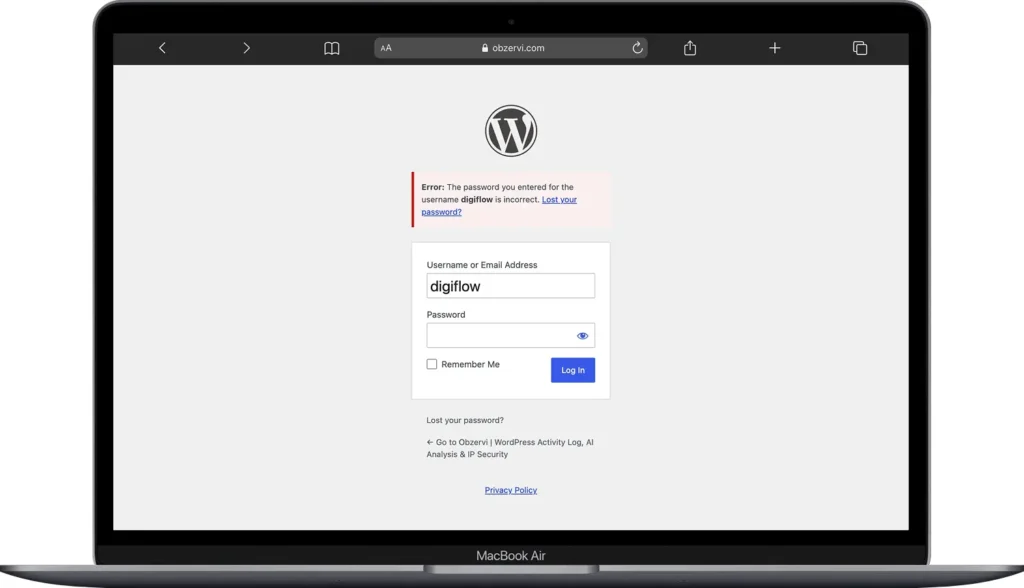
Because these URLs are predictable, attackers automate login attempts against millions of sites at once. Most attacks aren’t personal; bots work through lists of websites, trying leaked credentials from past data breaches (a technique known as credential stuffing) or guessing common passwords through brute force. Even when they fail, thousands of login requests can drain server resources and slow your site. WordPress Developer Resources documents these patterns in detail. That predictability is exactly why WordPress login security matters for every site.
The Most Effective WordPress Login Security Measures
If you only implement a few WordPress login security measures, start with these:
1. Use Strong, Unique Passwords
- Every administrator and editor account should use a long, randomly generated password that isn’t reused anywhere else. This is important for a WordPress login security
- Password managers make this easy and eliminate the temptation to reuse passwords across websites. We recommend 1 Password.
2. Enable Two-Factor Authentication (2FA)
Two-factor authentication adds a second verification step after entering your password.
Even if someone steals your password, they won’t be able to log in without access to your authentication device. For WordPress administrators, 2FA is one of the single most effective security improvements you can make. Support for passkeys is also becoming more common through reputable security plugins, offering an even more phishing-resistant login experience. (WordPress Developer Resources)
3. Limit Login Attempts (and Block Abusive IPs)
By default, WordPress allows unlimited password guesses. Limiting failed login attempts locks out abusive IP addresses after several unsuccessful tries, making automated attacks dramatically less effective. For even better protection, implement rate limiting at your web server, CDN, or Web Application Firewall (WAF), where malicious requests can be blocked before WordPress even loads. This is exactly what Obzervi‘s built-in IP security blocking does; without touching server config.
How to Limit Login Access by IP in Obzervi
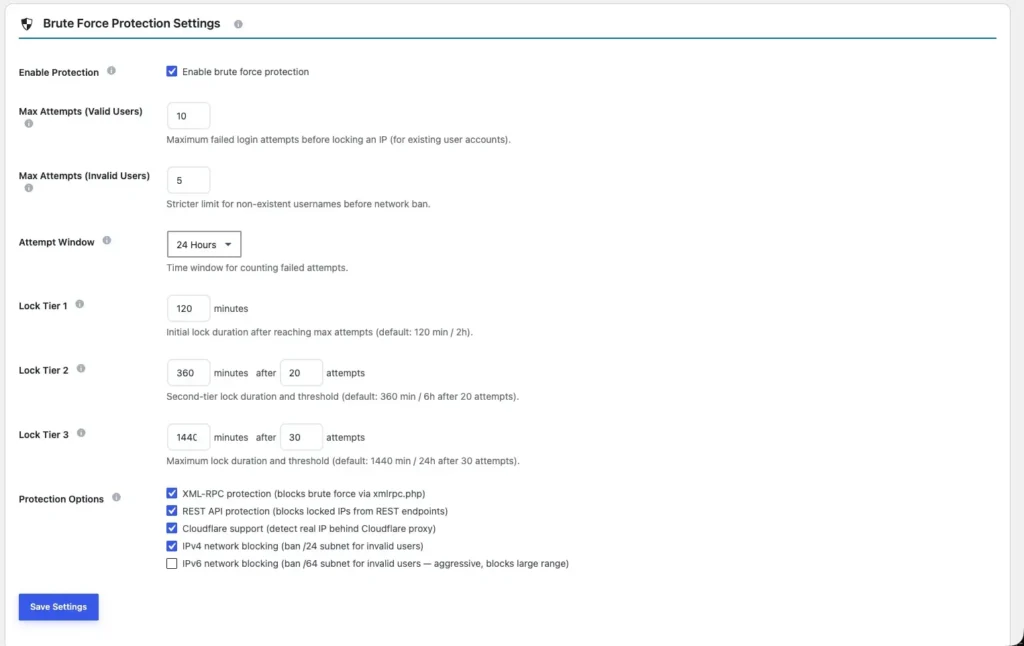
Limiting login attempts by IP is one of the easiest ways to stop brute-force attacks before they succeed. With Obzervi, you can automatically lock out attackers after repeated failed logins, permanently block malicious IP addresses, and ensure trusted users never get locked out.
Quick Setup
- Go to Obzervi → Settings → IP Blocking.
- Enable Brute Force Protection and set a maximum of 5-10 failed login attempts before an IP is locked out.
- Whitelist your own IP address before testing any settings to avoid locking yourself out.
- Configure lock tiers to increase penalties for repeat offenders. We recommend 120 minutes for the first lockout and 360 minutes for subsequent offenses.
- Add known malicious IPs to the Blacklist for permanent blocking.
- Save your settings and monitor the activity log to verify that repeated failed login attempts are being blocked.
Best Practice
IP blocking works best as part of a layered security strategy. Combine brute-force protection with strong passwords, two-factor authentication (2FA), and regular monitoring of login activity for the strongest protection.
Tip: Always whitelist your own IP before enabling brute-force protection. It’s the simplest way to prevent accidentally locking yourself out of your WordPress site.
4. Remove Unused Accounts
Old administrator accounts are an easy target.
Regularly:
- Delete accounts that no longer need access.
- Remove inactive users.
- Avoid using the default admin username.
- Give users the lowest permissions they actually need.
Fewer privileged accounts mean fewer opportunities for attackers.
5. Keep Everything Updated
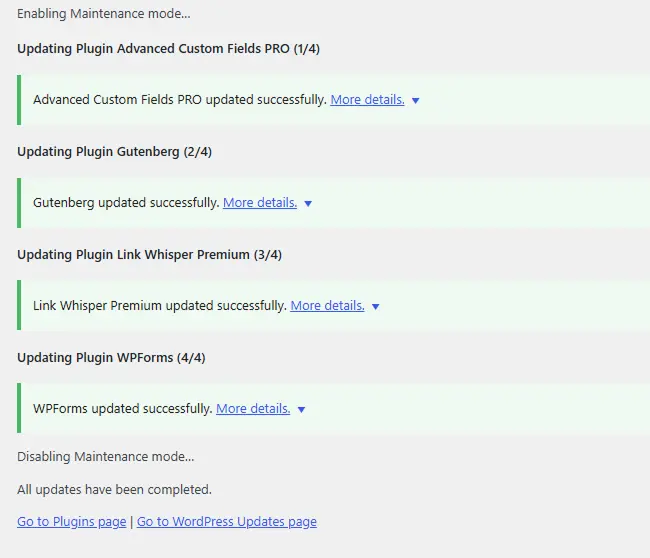
Many successful compromises happen because of outdated software rather than weak passwords.
Always keep:
- WordPress core
- Themes
- Plugins
fully updated to receive the latest security patches.
WordPress Login Security -> Don’t Forget XML-RPC
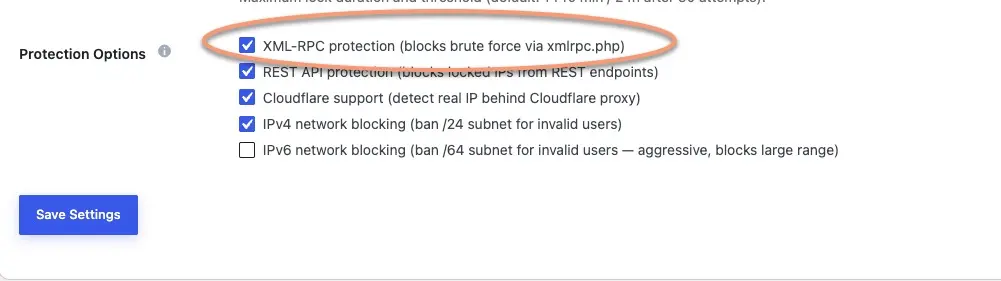
Many site owners secure wp-login.php but overlook xmlrpc.php, a legacy WordPress endpoint that can also authenticate users. Because XML-RPC supports multiple authentication requests in a single call, attackers often use it to accelerate brute-force attacks while bypassing protections focused solely on the login page.
If your website doesn’t rely on XML-RPC for remote publishing or legacy integrations, disabling it eliminates a common attack surface. If you do need it, be sure to apply the same rate limiting, IP blocking, and monitoring you use for wp-login.php.
This is where Obzervi stands out. Instead of protecting only the login page, Obzervi extends brute-force protection across WordPress’s three primary authentication endpoints: wp-login.php, xmlrpc.php, and the REST API. The same failed-login limits, escalating lockout tiers, IP blacklist, and whitelist rules are enforced consistently across all three.
Every authentication attempt is recorded in the activity log, regardless of the endpoint used, giving you a complete picture of login activity. Obzervi’s AI Assistant also detects unusual spikes in failed logins and highlights suspicious behavior, helping you identify and stop attacks before they become successful compromises.
Monitor Login Activity
Prevention is only part of WordPress security. Visibility is just as important.
An activity log helps you:
- Track successful and failed login attempts
- Identify suspicious IP addresses
- Detect credential-stuffing attacks early
- Investigate security incidents
- Understand how frequently your site is being targeted
A sudden spike in failed logins is often the first warning sign of an active attack.
How Obzervi Strengthens Your WordPress Login Security
Obzervi gives you complete visibility into your WordPress authentication activity from a single dashboard.
With Obzervi you can:
- Monitor every successful and failed login attempt
- Detect unusual login spikes using AI-powered analysis
- Automatically block malicious IP addresses with progressive ban rules
- Protect
wp-login.php,xmlrpc.php, and REST API authentication endpoints - Review historical login activity for auditing and incident response
Instead of discovering an attack after an account is compromised, you’ll know it’s happening as it unfolds Obzervi is what turns WordPress login security from a one-time setup into ongoing protection.
Want to see who’s trying to log into your website right now? Install Obzervi for free and start monitoring WordPress login activity in under a minute.
Frequently Asked Questions
How do I secure my WordPress login page?
Good WordPress login security starts with strong, unique passwords and two-factor authentication, then limiting failed login attempts and blocking abusive IP addresses. Hiding your login URL, adding a CAPTCHA, keeping WordPress updated, and monitoring login activity with an activity log round out a strong defense.
Should I disable XML-RPC in WordPress?
If you don’t use XML-RPC for remote publishing, mobile apps, or legacy integrations, disabling it removes a common brute-force attack surface. If you do need it, apply the same attempt limiting, IP blocking, and monitoring you use on your login page.
Does limiting login attempts stop brute-force attacks?
It stops the overwhelming majority of them. Locking out an IP after a handful of failed attempts makes automated guessing impractical. For the strongest protection, combine it with 2FA and rate limiting at your server, CDN, or firewall.
How many failed login attempts should I allow before locking an IP?
Five to ten is a good balance — strict enough to block bots quickly, forgiving enough that a legitimate user who mistypes their password isn’t locked out. In Obzervi, set this under Settings → IP Blocking and whitelist your own IP first.
