
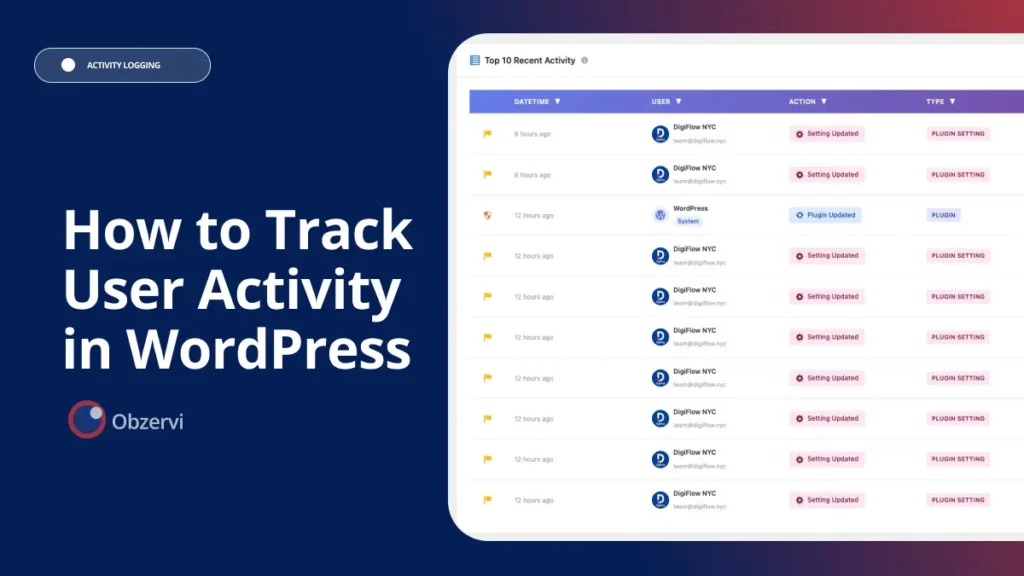
Do you know how to track user activity in WordPress. A WordPress user activity log answers the question every shared site eventually asks: who changed this? WordPress doesn’t track user activity out of the box, so to see who logged in, edited a page, or changed a setting, you need a dedicated log. This no-code guide shows you how to set one up, what it captures, and how to read it.
When multiple people manage a WordPress site, one question inevitably comes up:
Who changed this?
The problem is that WordPress doesn’t track user activity out of the box. While it can log technical errors for developers, it doesn’t record who logged in, edited a page, installed a plugin, or changed a setting.
To see that information, you need a WordPress activity log plugin.
In this guide, you’ll learn what WordPress logs by default, what a user activity log captures, how to set one up without writing code, and how to quickly identify who made changes to your site.
What WordPress logs by default (almost nothing)
By default, WordPress only writes PHP errors to a debug log when WP_DEBUG_LOG is enabled. It does not record who logged in, who edited a page, or who changed a setting. There’s no built-in WordPress user tracking at all — to monitor user activity you need a dedicated activity log plugin.
It does not record:
- User logins or logouts
- Failed login attempts
- Page or post edits
- Plugin or theme installations and updates
- User role changes
- Settings and configuration changes
In other words, WordPress has no built-in audit trail. If multiple people manage your site, you’ll need a dedicated activity log plugin to monitor user activity.
What a good WordPress user activity log captures
A quality activity log provides a complete history of important events across your website, including:
- Logins, logouts, and failed login attempts, along with IP addresses
- Post and page edits, including exactly what changed
- Plugin and theme installations, activations, deactivations, and updates
- User creation, deletion, and role changes
- WordPress settings and configuration updates
With a complete audit trail, you can investigate issues, improve accountability, and detect suspicious activity before it becomes a bigger problem.
How to track user activity in WordPress
Getting started only takes a few minutes.
1. Install an activity log plugin
Install an activity log plugin from your WordPress dashboard and activate it.
2. Let it collect events
Most plugins begin recording activity immediately with no configuration required.
3. Filter the log
Search or filter by user, date, page, IP address, or event type to quickly find the information you need.
4. Export your activity log
Export your logs for client reporting, audits, or compliance whenever needed.
Important: Activity logs only capture events that happen after they’re installed. They cannot recover changes that occurred before activation, so it’s best to enable logging before you need it.
“Who changed my WordPress site?” Find the answer in seconds
When something breaks or looks different, an activity log removes the guesswork.
Filter the log by the affected page, plugin, or setting to see:
- Who made the change
- When it happened
- Their IP address
- Exactly what changed
Many activity log plugins also provide side-by-side comparisons of content edits, making it easy to understand what was added, removed, or modified.
How Obzervi helps you track user activity in WordPress
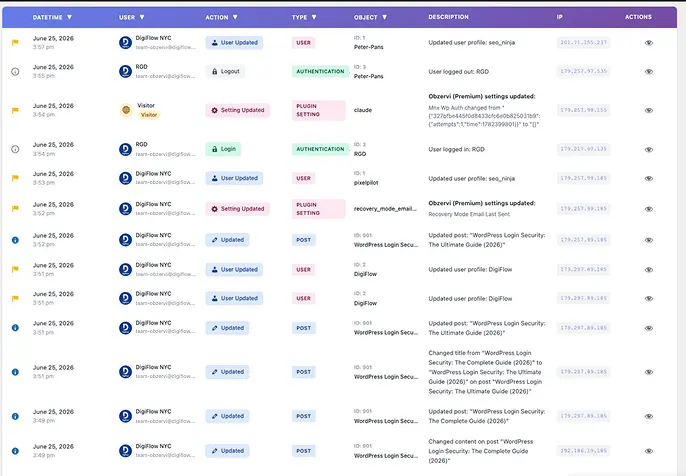
Obzervi is a WordPress activity log plugin built for teams that need to know exactly who did what and catch important changes before they become problems.
A complete, readable audit trail
Obzervi automatically records every meaningful event with the responsible user, timestamp, and IP address. Logins, failed logins, post and page edits, plugin and theme changes, user role updates, and settings changes are all captured the moment you activate the plugin.
See exactly what changed
Instead of showing a generic “Post updated” event, Obzervi displays content changes side by side, allowing you to compare the before and after of every edit.
One-click AI analysis
This is where Obzervi stands apart from traditional activity log plugins.
Built-in AI analyzes your activity log and summarizes unusual behavior in plain language, such as:
- An administrator editing dozens of posts within minutes
- Logins from different countries in a short period
- A spike in failed login attempts
- Plugin changes immediately before a site issue
Instead of scrolling through thousands of events, you immediately see what deserves your attention.
Security you can act on
Because every event is linked to a user, IP address, and timestamp, Obzervi also serves as an early warning system for compromised accounts and accidental administrative mistakes.
Filter, export, and report
Quickly filter activity by user, date, or event type, then export logs for audits, compliance, or client reporting.
Obzervi is free to install. Pro and Business plans add advanced AI analysis, longer log retention, and priority support for growing teams.
Frequently asked questions
Does WordPress track user activity by default?
No. WordPress only logs PHP errors when debugging is enabled. It doesn’t record user logins, content edits, plugin changes, or settings updates. You’ll need an activity log plugin to create a complete audit trail.
How do I see who edited a page in WordPress?
Install an activity log plugin such as Obzervi, then filter the log by the page or event type. You’ll see who made the edit, when it happened, their IP address, and exactly what changed.
Can I track failed login attempts in WordPress?
Yes. Most activity log plugins record failed login attempts together with usernames, timestamps, and IP addresses, making it easier to identify brute-force attacks and suspicious access.
Does an activity log slow down WordPress?
Most modern activity log plugins have minimal performance impact. They record events efficiently in the background and typically have no noticeable effect on visitor page load times.
Know exactly who did what
Whether you manage a business website, WooCommerce store, agency, or editorial team, an activity log gives you complete visibility into every important change.
Install Obzervi for free and start tracking user activity in WordPress today.
