
Introduction
When managing a website, the difference between a minor glitch and a catastrophic failure comes down to visibility. If you are searching for the best activity log plugin, you have likely realized that standard WordPress logs are insufficient for maintaining a secure and professional environment. As the market leader, the WP Activity Log plugin by Melapress stands out as the essential tool for administrators who need to maintain full accountability across their WordPress websites.
It leads the market with over 300,000 active installations. It has a great reputation and one of the most complete audit logging systems for WordPress. However, if you are searching for the best modern WP Activity Log alternative, it is time to look at how next-generation platforms are changing the game. Obzervi takes a broader approach by combining activity logging with AI analysis and IP security in one plugin. Here’s an honest comparison to help you decide which model fits your workflow.
WP Activity Log: Maximum visibility
WP Activity Log focuses on recording everything. Its primary goal is to create the most detailed audit log possible across WordPress core, third-party plugins, and enterprise environments. Think of it as the “security camera” of your digital infrastructure.
Agencies, universities, ecommerce businesses, healthcare groups, and enterprises trust it. It has been improved for years and provides detailed compliance records. By capturing granular user activity, the plugin ensures that every event (from a simple configuration change to a critical security modification) is documented. This level of visibility is vital for maintaining a secure and transparent environment, providing the necessary context to troubleshoot issues before they escalate into security breaches.
Obzervi: Visibility plus action
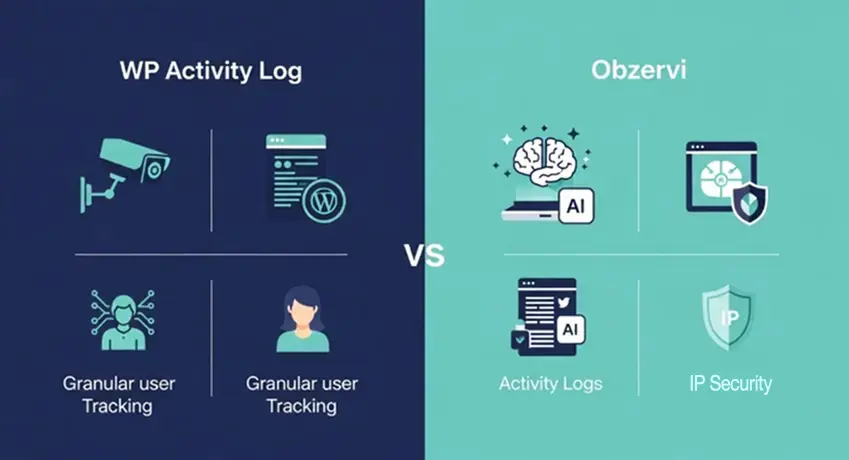
While audit logs are essential, modern security requires a blend of observation and intervention. Obzervi approaches monitoring from a different angle. It does more than just record activity. It combines activity logging, AI analysis, and built-in IP security into one plugin.
If you want to understand your site and stop suspicious activity without many plugins, Obzervi is a good choice. Obzervi uses AI to find important patterns. It also combines monitoring with basic protection features. This helps administrators avoid manually interpreting raw logs. However, it is important to note that separate Melapress security products or external security solutions handle those features if you choose to stick with the specialized, deep-logging ecosystem of the original WP Activity Log solution.
At a Glance
| Feature | Obzervi | WP Activity Log |
|---|---|---|
| Core WordPress activity logging | ✅ | ✅ |
| AI analysis of activity | ❌ | ✅ Built in |
| IP blocking / active defense | ❌ (requires separate tools) | ✅ Built in |
| Login monitoring | ✅ | ✅ |
| Content & user logging | ✅ | ✅ |
| Third-party plugin sensors | ✅ | ✅ |
| Searchable activity dashboard | ✅ | ✅ |
| Export logs | ✅ | ✅ |
| Scheduled reports | ✅ | Partial |
| Slack / SMS notifications | ✅ | Partial |
| External database support | ✅ | ✅ |
| SIEM integrations | ✅ | ✅ |
| Log storage | WordPress database | WordPress database or external |
| Free version | ✅ | ✅ |
| Best for | SMBs, agencies, security-conscious site owners | Enterprise, compliance-heavy environments |
Exceptional logging depth
You cannot compare activity log plugins fairly without recognizing where WP Activity Log is strong. The plugin was once called WP Security Audit Log (WSAL). It has grown over many years into a very complete monitoring platform. While many plugins only record basic events, this tool provides deep insight into Post types, plugin updates, and system activities.
Administrators can track:
- Login attempts and user accounts management.
- WordPress core and plugin settings modifications.
- Content changes and media uploads.
- Changes to sensitive PHP file structures.
This breadth of event logging ensures that nothing happens on your site without leaving a trace, which is critical for malware removal and post-incident investigations.
Extensive third-party integrations
A major advantage of using this plugin is the number of third-party plugins it understands. This plugin gives administrators much more visibility into complex WordPress sites than most competitors. By using dedicated sensors, it integrates seamlessly with industry-standard tools like Yoast SEO, Gravity Forms, and WooCommerce.
This integration goes beyond simple change tracking. It allows for specific event logging within those environments, ensuring that if a user changes a critical setting in a form or SEO plugin, it is recorded in your audit trails. When paired with WP 2FA or Captchas 4WP, it creates a comprehensive security fabric.
Compliance and enterprise features

For organizations preparing for SOC 2, HIPAA, ISO 27001, or internal security audits, these capabilities can save a lot of time. The plugin supports professional-grade requirements like session management and email notifications for critical events.
For high-traffic sites, storing activity log data directly in the WordPress database can impact performance. The plugin solves this by allowing you to offload logs to an external database, AWS CloudWatch, or other centralized services. This logs centralization is a hallmark of a mature WordPress multisite or multisite network strategy, ensuring your audit logs remain searchable and compliant without degrading site speed.
Mature product with an excellent reputation
The longevity of WP Activity Log is a testament to its reliability. It has been refined for years, offering a stable experience for agencies managing Child Sites via a MainWP Dashboard.
Agencies rely on it for security hardening and forensics because it provides consistent, high-fidelity data. Whether you are using the Audit Log Viewer to identify a malicious actor or using activity reports to keep clients informed, the tool delivers predictable results. With the support of Partner Extensions and dedicated Enterprise Support, you gain a guaranteed response and the confidence that your security monitoring is handled by experts.
Where WP Activity Log isn’t trying to compete
It is important to understand the mission of this tool. It is not an active firewall or an automated AI-blocker. It is designed for maximum transparency and precise security audit logs.
It isn’t designed to automatically explain suspicious behavior, analyze attack patterns with AI, or actively block malicious visitors. Those capabilities are handled through separate security layers. For organizations that need a “source of truth,” this focused approach is a significant benefit. It prevents “feature creep” and ensures that the activity logs remain a clean, accurate, and powerful record of all user actions on your WordPress websites.
Obzervi adds two things in the same plugin: AI that reads your activity logs and tells you what’s unusual and what to do, and built-in IP security with tiered banning that protects login, XML-RPC, and the REST API. With WP Activity Log you’d typically pair a separate security plugin to get that.
Price Breakdown
- WP Activity Log features a steep, premium-priced tier system. Because it only handles logging, you will still have to pay for a separate web application firewall (WAF) or security suite to achieve complete site defense.
- Obzervi offers a highly competitive free tier with full logging capabilities. Its premium plans bundle advanced cloud backups, extended retention, AI insights, and active IP blocking together, giving you an entire security ecosystem for roughly the cost of a legacy logging plugin alone.
Conclusion
The WP Activity Log is more than just a monitoring tool; it is a vital component of any robust security strategy. By providing deep insights into user accounts, login attempts, and configuration changes, it enables security professionals to move from reactive troubleshooting to proactive management.
Whether you are managing a small business site or an enterprise-level multisite network, the ability to centralize logs via AWS CloudWatch or an external database provides the scalability required for modern growth. To get started, consider your retention policies and the specific system activities you need to track. If you require a modern security setup that doesn’t overwhelm your team with raw data streams, choose Obzervi to get activity logging, AI insight, and active IP security together in one dashboard at one price. To ensure your security strategy is perfectly aligned with your business objectives, try Obzervi free and compare for yourself: it installs in under a minute.
Frequently Asked Questions
How to see WP logs?
You can view your WordPress logs directly inside your admin dashboard (wp-admin) using a dedicated activity log plugin. Once installed, these tools provide a central, searchable Audit Log Viewer or dashboard where administrators can view recorded events instead of manually digging into a server’s raw database.
How do I monitor user login activity on WordPress?
Standard WordPress does not provide comprehensive built-in monitoring, which is why the post notes that standard logs are insufficient. To monitor user logins effectively, you install an activity log plugin (like Obzervi or WP Activity Log).
What is WP Activity Log and how does it work?
WP Activity Log is a traditional, legacy WordPress monitoring plugin that works strictly like a passive security camera. It uses internal sensors to record a detailed ledger of site changes and compiles them into a static database list. Its major drawback is that it does not analyze threats, explain patterns, or stop malicious actors. This passive model is exactly why modern site owners are moving to next-generation tools like Obzervi.
Obzervi matches traditional logging depth but adds an intelligent AI layer that reads your logs for you, instantly surfacing unusual patterns and deploying built-in IP security to stop attackers in their tracks before damage occurs.
Which features are included in WP Activity Log for tracking user activity?
WP Activity Log features traditional tracking capabilities like user session logging, content change tracking, and basic settings monitoring. However, many of its advanced tracking filters, notification extensions, and reporting tools are hidden behind premium-priced add-ons. If you want a modern, feature-complete dashboard without buying multiple extensions, Obzervi includes everything out of the box. For a single price, Obzervi provides:
- Full user, system, and configuration logging with visual, side-by-side content diffs.
- Built-in AI behavioral analysis to detect suspicious activities automatically.
- Real-time automated alerts (via Email, Slack, or Telegram).
- A built-in firewall featuring automated, tiered IP blocking to protect your login pages, XML-RPC, and REST API from brute-force attacks instantly.
